Introduction: What is an Android TV Box and How Will It Revolutionise Your Home Viewing?
In the current era of digital transformation, the way British households consume media has shifted fundamentally. Traditional linear television via aerial or satellite is rapidly losing ground to flexible streaming platforms and internet-based services. Consequently, more and more users are asking the same question: what is an Android TV Box? This compact device has become the centrepiece of modern home entertainment, offering possibilities that older televisions simply cannot reach. In this article, we will detail its functions and the enormous advantages of this technology, with a specific focus on secure and family-friendly usage.
Definition and Basic Principles of the Smart TV Device
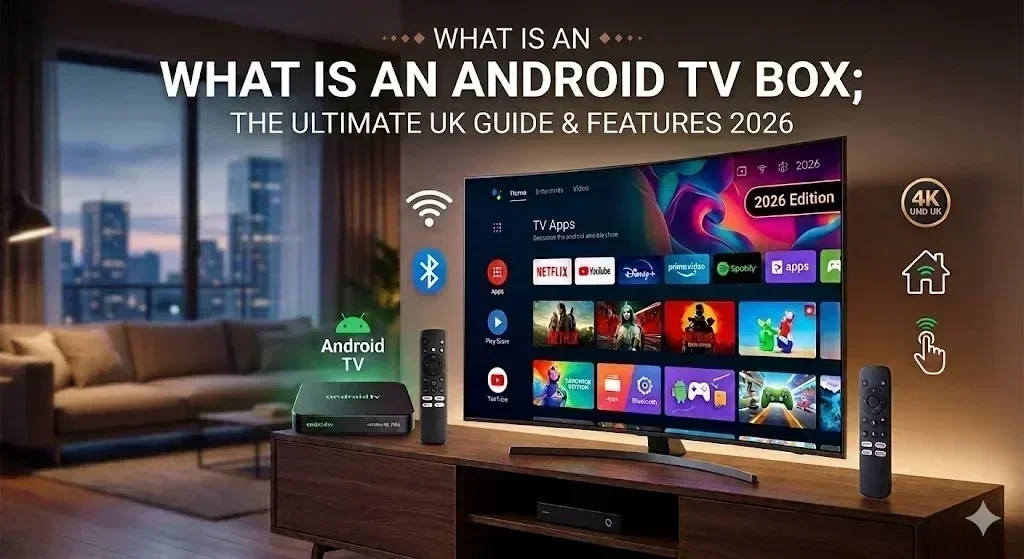
Firstly, it is essential to explain the concept in simple terms. An Android TV Box is an external media player that connects to your television via an HDMI cable. In this way, the device “lends” the Android operating system to your TV, transforming it into a high-performance Smart TV with full access to the Google Play Store.
Furthermore, these devices are extremely versatile. Although their primary function is video streaming, they also allow you to run games, browse social media, and even check emails. Therefore, for a fraction of the cost of a new television, you obtain a powerful and updatable multimedia hub in the comfort of your living room.
Why is the Android TV Box Ideal for IPTV and VOD?
One of the most common reasons for purchasing this gadget is to access modern internet television services. At this point, the Android TV Box demonstrates its clear superiority over the built-in systems found in many smart televisions.
Additionally, the Android system allows for the installation of specialised applications for IPTV, such as TiviMate or IPTV Smarters Pro. Due to this fact, the user benefits from:
-
Fluid Navigation: Box processors are generally faster and more robust than those inside standard Smart TVs.
-
Total Customisation: The ability to organise channel lists and create bespoke groups of favourites.
-
Rapid Access to VOD: Instant loading of movie and series libraries in ultra-high resolutions.
As a result, if you are looking for stable digital television reception in the UK, an Android TV Box is the technical solution you require.
Family Safety: Entertainment Without Adult Content
When choosing equipment for the home, the safety of younger family members online is a constant priority. For this reason, we guarantee that our approach to entertainment is entirely family-oriented. Our IPTV service and the recommended configurations for Android TV Boxes do not include any adult content.
On the contrary, we focus on offering high-quality educational channels, cartoons, sports, and international cinema. In this manner, parents can feel at ease while their children use the device. Moreover, the Android system offers built-in parental control tools that allow you to filter available applications even further. In short, the living room should be a place of relaxation and safety, free from inappropriate material.
Technical Features – What to Check in 2026?
The market is saturated with options; however, not all devices offer the same quality. To avoid frustration, you should pay attention to several important technical details:
1. Processor and RAM
Unquestionably, the heart of any box is its processor. In 2026, the standard requires support for the AV1 codec and 4K resolution at 60 frames per second. Simultaneously, the RAM should be at least 4GB. This ensures that switching between apps is instantaneous and free from lag.
2. Storage and Connectivity
Even though most content is consumed via streaming, it is advisable to have at least 32GB of internal memory for apps. Equally important is the presence of a USB 3.0 port and an Ethernet input. Indeed, a cabled connection is fundamental for maintaining signal stability during major live sporting events.
How to Set Up Your Android TV Box?
Many users fear that the installation might be complex; nevertheless, the reality is that the process is very intuitive. Follow these simple steps:
Step 1: Physical Connection
Connect the device to the HDMI input of your television. Then, plug the power adapter into the wall socket. Whenever possible, use a LAN cable for the internet, as it is much more stable than Wi-Fi.
Step 2: Initial Configuration
Turn on the TV and select the respective HDMI source. At that moment, the setup wizard will appear on the screen. Generally, you simply follow the instructions to choose the English language and sign in to your Google account.
Step 3: Installing Media Apps
Open the Google Play Store and download the applications you wish to use. In the case of using our secure channel list, enter your details (URL, user, password) into your chosen IPTV app. As a result, within minutes, you will have access to thousands of channels without adult content.
Comparison: Android TV Box vs. Built-in Smart TV
While modern televisions already come with smart systems, an external Android TV Box is frequently a superior choice for the tech-savvy UK consumer.
| Feature | Android TV Box (External) | Built-in Smart TV |
| Updates | Frequent and long-lasting | Dependent on the manufacturer |
| Performance | High and updatable | Tends to slow down over years |
| Apps | Total access to Play Store | Stores are often limited |
| Portability | Can be taken on holidays | Fixed to a single screen |
Conclusion: Is an Android TV Box Worth It?
In summary, the Android TV Box is a device that redefines the concept of television. It combines power, unlimited internet access, and simplicity of use. Thanks to the focus on secure content and the absence of adult material, it is the ideal choice for any British family looking for quality entertainment.
Finally, investing in a box is an investment in freedom of choice and technological comfort. If you wish to enjoy stable IPTV, games, and movies on the big screen, the Android TV Box is undoubtedly the right path to take.
Frequently Asked Questions (FAQ)
1. Does an Android TV Box work on any television?
Yes, provided your TV has an HDMI input. Even older “dumb” TVs can be fully modernised with this device.
2. Is a Google account necessary?
Although not strictly mandatory for basic functions, having a Google account allows you to download apps from the Play Store and sync your preferences.
3. Why do you not provide adult channels?
Because we prioritise the safety and quality of the family environment. We want our service to be a source of healthy entertainment for all ages.
4. Do I need very fast internet?
Certainly. For a fluid experience in 4K, we recommend a connection of at least 50 Mbps.